
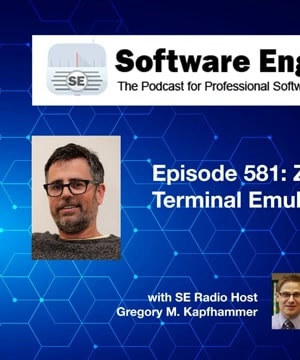
SE Radio 581: Zach Lloyd on Terminal Emulators
Topics covered
Popular Clips




Questions from this episode
- Asked by 106 people
- Asked by 29 people
Episode Highlights
Window Management
The Warp terminal offers advanced window and tab management features that enhance productivity for developers. explains that users can create multiple sessions within a single terminal window, similar to browser tabs, and even split panes for side-by-side sessions 1. This setup is highly configurable, allowing users to define launch configurations in YAML files for different projects, enabling quick setup and easy context switching 2. Lloyd highlights the hotkey window feature, which allows a terminal to pop up over any application, enhancing accessibility and workflow efficiency 1.
You can define that in a file and then you can launch that configuration as one atomic thing so that you can quickly get the setup that you want.
---
These features make Warp a powerful tool for developers seeking a streamlined command-line experience.
Command Blocks
Warp's command block feature revolutionizes how users interact with terminal outputs by structuring commands and their outputs into distinct blocks. describes this as a new UX primitive, akin to the block style in Jupyter notebooks, which allows users to navigate and manage terminal outputs more effectively 3. This feature enables users to search within specific command outputs, share blocks with team members, and streamline debugging processes by isolating outputs for analysis 4.
The way I view this is as a new UX primitive, almost similar to like the block style thing that you would get in a Jupyter notebook.
---
Such capabilities significantly enhance productivity by simplifying the handling of complex terminal interactions.
Shell Integration
Warp integrates seamlessly with popular shells like bash, CSH, and fish, while also offering compatibility with terminal multiplexers such as TMux and screen. notes that while Warp does not provide its own shell, it enhances the user experience by supporting multiple sessions and split panes natively 5. However, using external multiplexers may limit some of Warp's unique features, as it defaults to traditional terminal behavior 5.
Warp's behavior is exactly the same as anhejdehe. And so a lot of people use Vim plus Warp, emacs plus warp, and that all just works exactly as you would expect it to.
---
This integration ensures that developers can maintain their preferred workflows while benefiting from Warp's advanced functionalities.
Related Episodes


SE Radio 562: Bastian Gruber on Rust Web Development
Answers 383 questions

SE-Radio Episode 323: Lin Clark on WebAssembly
Answers 383 questions

SE Radio 582: Leo Porter and Daniel Zingaro on Using LLMs in the Classroom
Answers 383 questions

SE-Radio-Episode-274-Sam-Aaron-on-Sonic-Pi
Answers 383 questions
SE Radio 557: Timothy Beamish on React and Next.js
Answers 383 questions

SE Radio 635: Stevie Caldwell on Zero-Trust Architecture
Answers 383 questions

SE Radio 628: Hans Dockter on Developer Productivity
Answers 383 questions

SE Radio 567: Dave Cross on GitHub Actions
Answers 383 questions
SE-Radio Episode 303: Zachary Burt on Freelancing as a Career Option
Answers 383 questions

SE Radio 630: Luis Rodríguez on the SSH Backdoor Attack
Answers 383 questions

SE Radio 585: Adam Frank on Continuous Delivery vs Continuous Deployment
Answers 383 questions

SE Radio 622: Wolf Vollprecht on Python Tooling in Rust
Answers 383 questions

SE-Radio-Episode-253-Fred-George-on-Developer-Anarchy
Answers 383 questions
SE Radio 625: Jonathan Schneider on Automated Refactoring with OpenRewrite
Answers 383 questions

